


Creating a storyboard used to take a lot of time and drawing skills. Today, AI makes the process much easier. With just a text prompt or a reference image, you can quickly create scenes to plan a video, film, animation, advertisement, or social media project.
While most AI tools aren’t made only for storyboarding, many are great for creating storyboard frames, visual ideas, and concept art. They help you turn your ideas into images in minutes instead of hours.
In this guide, we’ll be taking a look at three of the best free AI storyboard generators in 2026: Krea AI, Leonardo AI, and Pollo AI.
What Are AI Storyboard Generators?
AI storyboard generators use artificial intelligence to create images based on your ideas.
They can help you create:
- Storyboard frames
- Scene ideas
- Character concepts
- Camera angle references
- Visual plans for videos and animations
Instead of sketching every scene yourself, you simply describe what you want, and the AI generates images to help you plan your project.
Now that we know what these tools are, let’s see how three of the best AI Storyboard Generators compare to each other.
Quick Comparison: Best Free AI Storyboard Generators
Before taking a closer look at each tool, here’s a quick comparison of their main strengths.
|
Tool |
Best For |
Free Plan |
Storyboard Strength |
|
Krea AI |
Complete creative workflow |
✅ Yes |
Images, editing, video, and enhancement in one place |
|
Leonardo AI |
Detailed concept art |
✅ Yes |
Consistent visual style across scenes |
|
Pollo AI |
Quick visual planning |
✅ Yes |
Fast image and video generation |
While all three offer free plans and can help you create storyboard visuals, they each focus on slightly different features, from concept art and image editing to video generation and complete creative workflows.
Krea AI
Krea AI is one of the most complete AI creative platforms available today. While it isn’t built only for storyboards, it includes everything you need to create them, from AI image generation to editing, video tools, and image enhancement.
You can create images from text prompts, edit them, improve their quality, animate them, and even generate 3D objects – all in one place. Krea also offers a free plan with daily credits, making it easy to get started.
Key Features
- AI image generation
- Real-time image generation
- AI video generation
- Image editing and enhancement
- Background remover
- Image upscaling up to 22K
- Text-to-3D and Image-to-3D
- Asset manager
- Custom AI model training (LoRAs)
- Access to 64+ AI models
Why It Stands Out
Krea does much more than generate images. You can edit scenes, improve image quality, animate visuals, and organize your projects without switching between different tools.
It’s also easy to use, supports many of the latest AI models, and is trusted by more than 30 million users worldwide.
Pros
- Free plan available
- Very easy to use
- Image, video, and 3D tools in one platform
- Great editing features
- Supports many AI models
Cons
- Daily limits on the free plan
Best for: Anyone looking for an all-in-one AI tool for creating storyboards and other creative projects.
Leonardo AI
Leonardo AI is a popular AI image generator used by designers, artists, and creative teams. It’s especially good for creating concept art and storyboard images with a consistent visual style.
You can generate images from text prompts, edit them, create different versions, and keep the same style across multiple scenes.
Key Features
- Text-to-image generation
- AI canvas editing
- Style presets
- Image upscaling
- Prompt guidance
- Character and asset creation
Pros
- High-quality images
- Consistent visual style
- Helpful editing tools
- Free plan available
Cons
- Focuses mainly on images
- Some advanced features require a paid plan
Best for: Creators who want detailed storyboard images and concept art.
Pollo AI
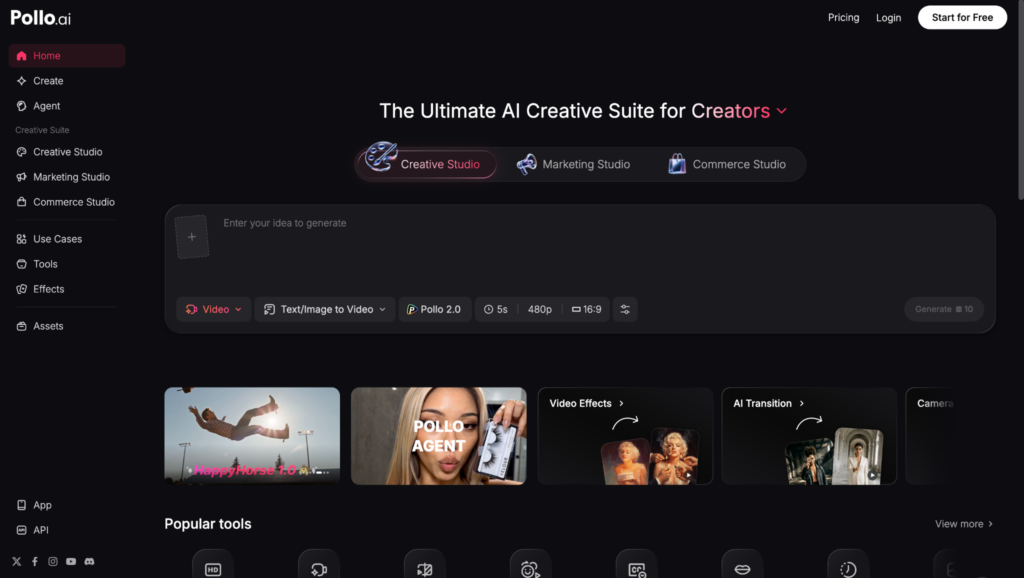
Pollo AI is an AI platform for creating both images and videos. It lets users quickly turn ideas into visuals using simple prompts, making it useful for planning scenes and building storyboards.
Its simple interface makes it a good option for beginners and content creators who want fast results.
Key Features
- AI image generation
- AI video generation
- Multiple AI models
- Style customization
- Fast generation
Pros
- Easy to use
- Free plan available
- Supports images and videos
- Fast results
Cons
- Fewer editing tools than some competitors
- Better for quick ideas than detailed editing
Best for: Content creators who want to quickly visualize scenes and ideas.
How to Choose the Right AI Storyboard Generator
When comparing AI storyboard tools, think about a few simple things:
- Image quality – The better the images, the easier it is to present your ideas.
- Editing tools – Being able to adjust scenes saves time.
- Style consistency – Helpful if you want all your storyboard frames to match.
- Free features – Check what you can do before upgrading.
- Extra tools – Features like video generation or image enhancement can make your workflow even easier.
Conclusion
AI storyboard generators make it much easier to turn ideas into visual stories. They save time, speed up planning, and help creators bring concepts to life without needing advanced design skills.
All three tools are good options, but Krea AI stands out as the best overall choice. It combines things like image generation, editing, video tools, and image enhancement in one easy-to-use platform, making it a great solution for creating storyboards from start to finish.
